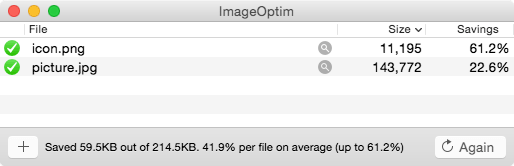
ImageOptim optimizes images — so they take up less disk space and load faster — by finding best compression parameters and by removing unnecessary comments and color profiles. It handles PNG, JPEG and GIF animations.
ImageOptim provides GUI for various optimisation tools: AdvPNG from AdvanceCOMP, OptiPNG, Pngcrush, JpegOptim, jpegtran from libjpeg, Gifsicle and optionally PNGOUT.
It's excellent for publishing images on the web (easily shrinks images “Saved for Web” in Photoshop) and also useful for making Mac and iPhone applications smaller.
To take advantage of PNGOUT you have to download it and set its path in ImageOptim's preferences, because license of PNGOUT forbids bundling of it with other applications.
Open Source
ImageOptim is free, open-source software under terms of the GPL v2. Your contributions are welcome! Please grab the source code and improve it! Feel free to contact me for assistance.
How to use it
Simply drag'n'drop images into the window! You can also drop files on ImageOptim's Dock icon or launch it from shell scripts with open -a ImageOptim.app *.png.
If you install a system service you can run ImageOptim from Finder's context menu.
More about PNG
My article “PNG that works” explains why ImageOptim removes gamma information and how to get even smaller PNG files with transparency that works in ancient versions of IE.
Frequent answers
- Photoshop munges optimized PNGs!
ImageOptim converts images to PNG8+alpha format when that is possible without loss of quality. That's the most efficient way to store alpha channel.
Photoshop might be the last application on the planet (other than IE6) that doesn't fully support this format!
To undo optimisations and get the big fat, Photoshop-sized PNG back, open PNG in Preview.app and save it again (“Export” in Lion).
Alternatively, switch to Fireworks or only optimize copies/final versions of images.
- Will ImageOptim be in the AppStore?
- Unfortunately not, because Apple has explicitly forbidden publication of Free (as in freedom) Software in the AppStore. You can get ImageOptim here, without DRM.